How to Use Your Phone as a Screen for Windows
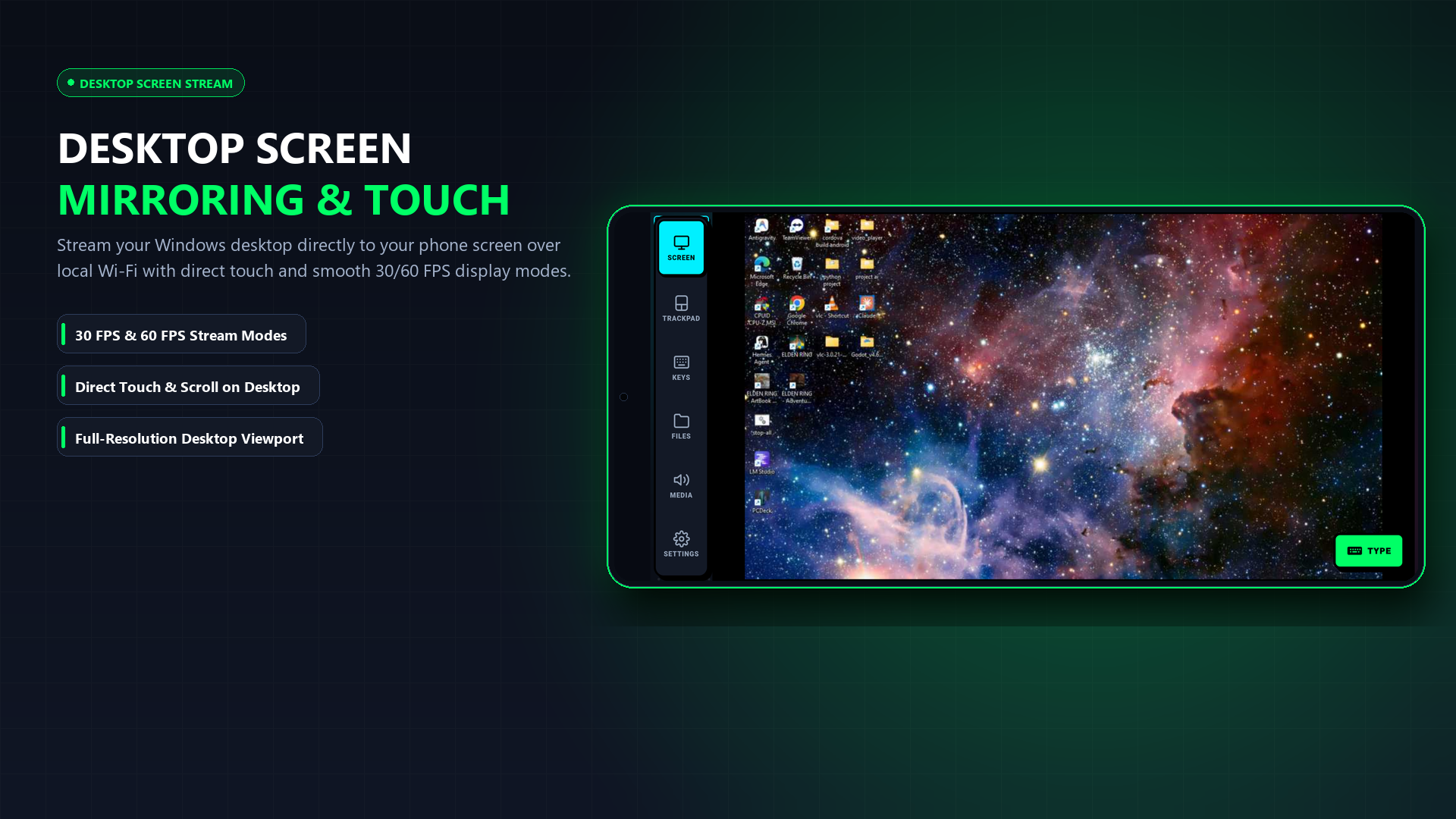
Need an emergency second display, want to monitor your PC from another room, or dealing with a broken laptop screen? You don't even need to install an app on your phone. Just scan a QR code and stream your desktop immediately.
Updated September 2026 · iPhone, iPad & Android · 100% Free · No Phone App Needed
Yes, and you don't even need to download an app on your phone. PCDeck captures your Windows desktop and streams it directly over your local Wi-Fi. By scanning the QR code on your PC, your phone's browser (Safari or Chrome) instantly turns into a responsive desktop monitor that lets you see your open windows and click on icons using your touchscreen.
The 3-Step Instant Setup (Ready in 20 Seconds)
No App Store searches, no cables, and no dummy HDMI plugs required:
Why stream your PC screen to your phone?
Using your phone as an auxiliary or emergency PC screen solves real frustrations:
- Cracked or dark laptop monitor: A dropped laptop with a broken screen still has functioning internals. Put the desktop on your phone or tablet and rescue your files or finish your assignment.
- Second screen for chat or guides: Keep Discord, Spotify, or a game walkthrough open on your phone screen next to your monitor while you game in full-screen on your PC.
- Headless media PC in a closet: If you run a Plex server or file server without a dedicated monitor, check on background tasks from your couch instead of carrying a monitor across the house.
- Watch movies in bed: Watch video files playing on your PC directly on your phone screen with synchronized PC audio streamed to your earbuds.
Two Ways to Connect: Browser vs. Native App
Instant Browser View (Zero Phone Install)
Works on iPhone, iPad, Android, and Mac. No app download needed.
- Download and run PCDeck.exe on your PC (Free).
- Scan the on-screen QR code with your phone camera.
- Tap the link — your phone browser streams your desktop in real-time!
Dedicated Android App (APK)
For Android users who want full-screen immersive view and persistent auto-reconnect.
- Download the lightweight PCDeck.apk (739 KB).
- Tap your PC in the discovery list.
- Tap the Screen tab for full hardware-accelerated rendering.
How touch clicks map to Windows elements
When you look at your PC desktop on your phone screen, you don't need a separate mouse. Tapping on a folder icon or browser button maps directly to that coordinate on Windows. Tapping with one finger performs a left click; holding or tapping with two fingers performs a right click.
Get PCDeck — Free Wireless Screen Viewer & Remote
Turn your phone or tablet into an emergency monitor, mouse, keyboard, and file transfer tool for Windows 10 and 11.
Windows 10 / 11 · Works on iPhone & Android · 100% Local Wi-Fi · Zero Accounts