Simple Comparison: What Makes PCDeck Better?
Here is a straightforward, non-technical comparison between PCDeck and Remote Mouse:
| What You Care About | PCDeck | Remote Mouse |
|---|---|---|
| Annoying Ads? | 100% Ad-Free forever. Zero popups, zero video ads. | Aggressive, unskippable full-screen video ads. |
| Download App on Phone? | No app needed. Opens in Safari or Chrome via QR code. | Mandatory 80MB app download from App Store/Play Store. |
| Price & Subscriptions | 100% Free ($0). Everything is unlocked. | Charges $1.99/mo or $14.99/yr for media and browser shortcuts. |
| Volume & Media Keys | Included free. Play, pause, volume up/down, next track. | Locked behind paid subscription. |
| Listen to PC Sound on Phone? | Yes, included free. Stream PC audio to phone earbuds. | Not supported. |
| See PC Screen on Phone? | Yes, included free. Live screen viewer in browser. | Not supported. |
| PC Installation | Zero installation. Single .exe file, double-click to run. | Traditional installer with background autostart daemon. |
| How Fast to Connect? | 15 Seconds. Double-click on PC and scan QR with phone. | 3 to 5 minutes (app store search, download, pairing). |
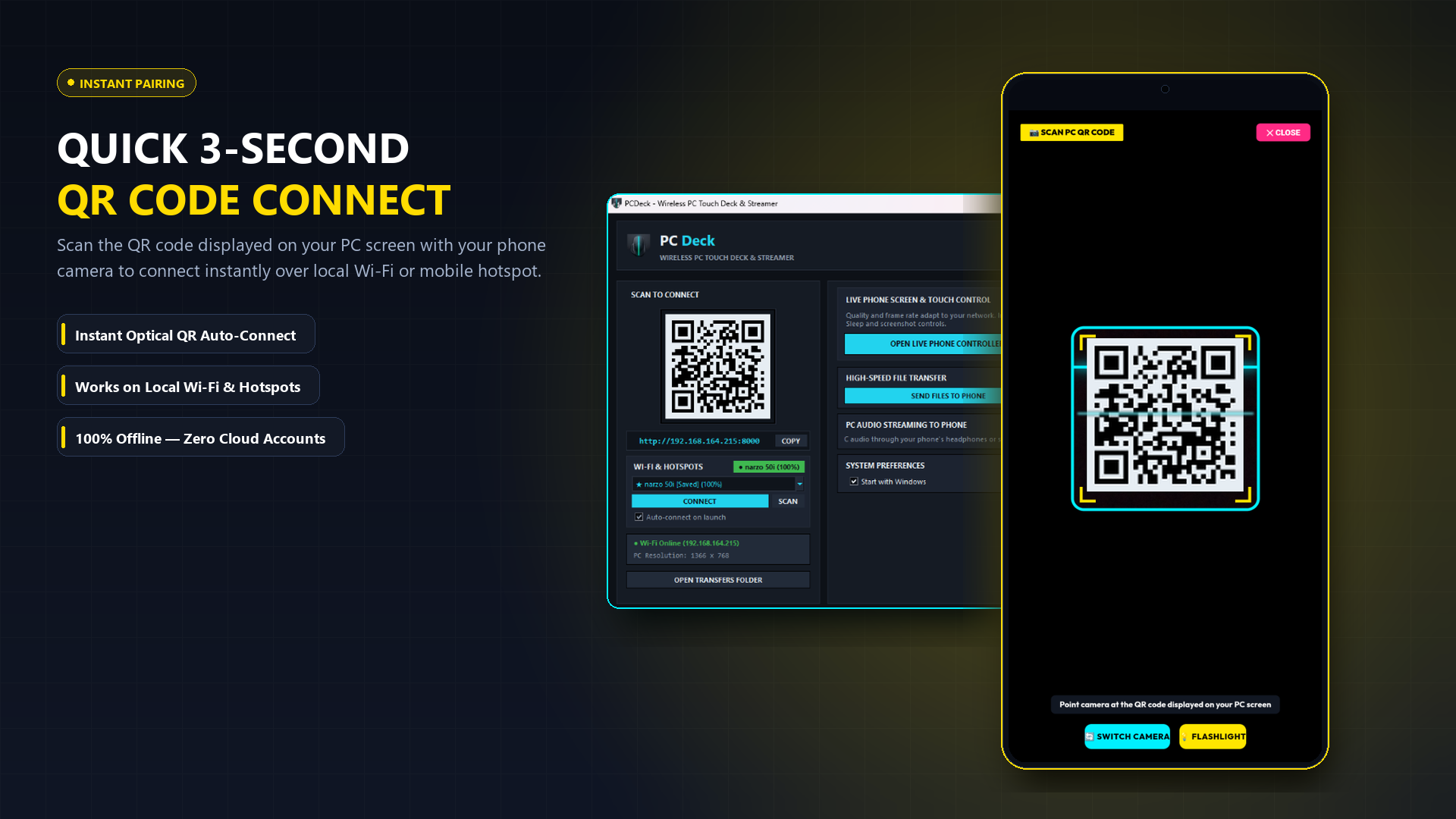
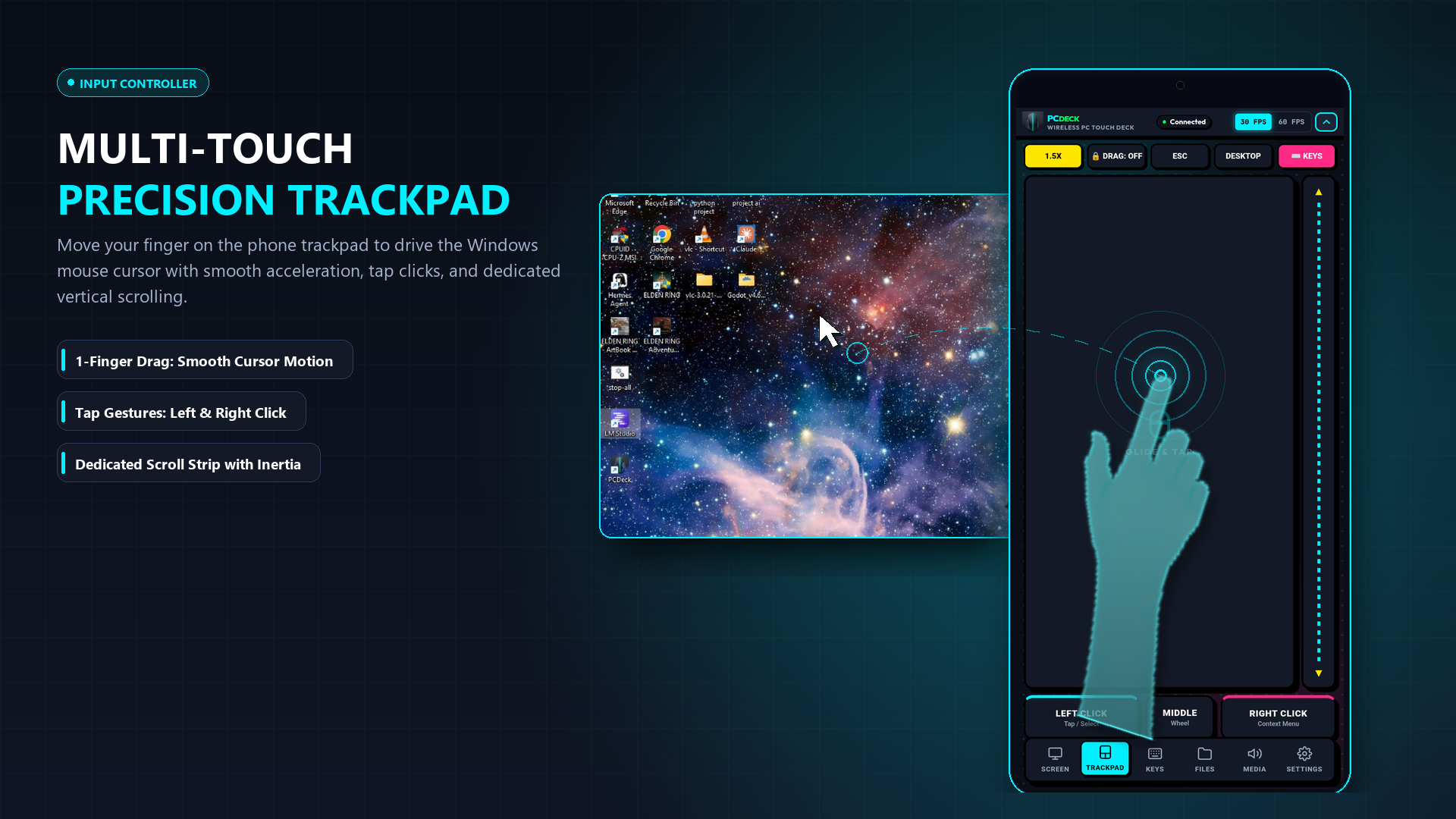
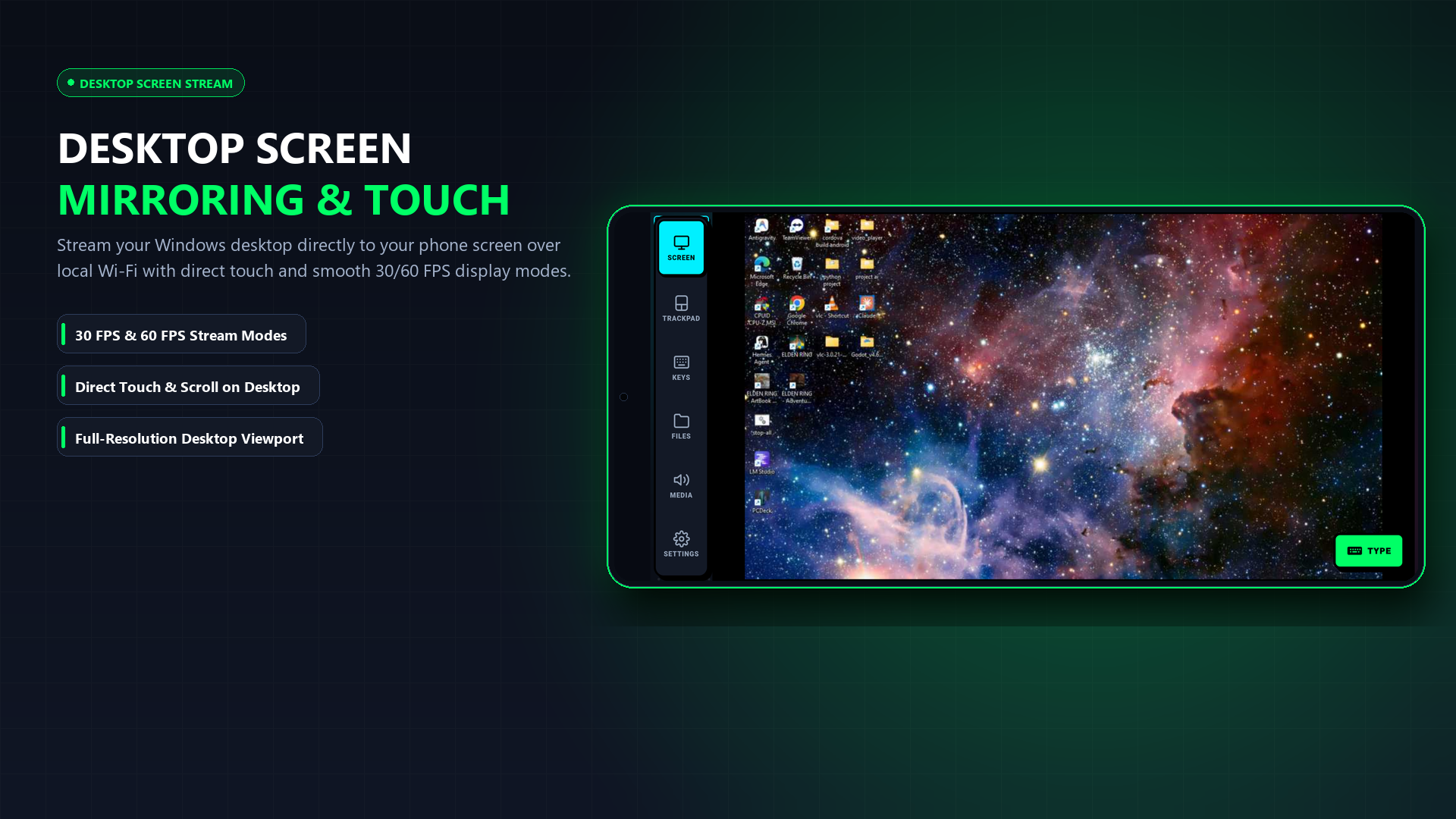
See How Simple It Looks in Real Life
No complicated settings or confusing technical menus. Here is exactly what you see:
Real Scenarios: When PCDeck Saves Your Day
You do not need to be a computer expert to use PCDeck. Here is how real people use it every day:
Your mouse stops clicking or your laptop trackpad breaks right before a deadline. You cannot easily install complex apps without a working mouse. Just run PCDeck, scan the code with your phone, and you have a working wireless mouse in 15 seconds.
Your PC is connected to a TV or desk. Instead of getting out of bed to pause, skip, or change the volume, control everything from your phone. You can even plug headphones into your phone to listen to your PC privately late at night.
Walk around the meeting room freely while giving a PowerPoint presentation. Tap next slide, navigate websites, and control the mouse directly from your phone in your pocket—no expensive presenter remotes needed.
If your laptop screen cracks, goes black, or the external monitor disconnects, stream the desktop live to your phone screen so you can save your open files and shut down safely.
The 4 Big Reasons Users Uninstall Remote Mouse
1. Unskippable Full-Screen Video Ads While Moving the Cursor
Nothing ruins your flow like trying to click a button on your computer and having your phone screen hijacked by a 30-second unskippable game advertisement. Remote Mouse's free tier has become heavily ad-supported. PCDeck has zero ads, zero tracking scripts, and zero sponsored interruptions.
2. $14.99/Year Subscription for Basic Media Controls
Remote Mouse locks essential shortcuts—like pausing a movie, changing the volume, switching browser tabs, or using function keys—behind an ongoing subscription paywall. PCDeck includes full media controls, volume adjustment, numeric keypad, and keyboard shortcuts completely free.
3. No Need to Waste 80MB on a Mobile App
Why should a simple mouse pointer require an 80MB app download, app store permissions, and device storage? PCDeck uses a high-performance local web server. When you scan the QR code on your PC screen, Safari or Chrome turns into a responsive trackpad instantly.
4. Portable Standalone Executable on PC
Remote Mouse installs system drivers, background autostart processes, and persistent registry entries. PCDeck is a single portable executable file. When you close the app, it stops completely—leaving zero footprint behind.
Switch to PCDeck in 15 Seconds
Download the lightweight Windows binary, run it, and scan the QR code with your phone camera. No mobile app download, no account, and 100% ad-free.
Windows 10/11 (64-bit) · Portable Single Binary (~24MB) · Ad-Free
Frequently Asked Questions
Is PCDeck completely ad-free?
Yes. PCDeck contains zero banner ads, zero popup ads, and zero video ads. It is designed for seamless, uninterrupted productivity.
Does PCDeck work on both iPhone and Android?
Yes. Because the client runs in any modern web browser via WebSockets, it works identically on iOS (Safari), iPadOS, Android (Chrome, Firefox), and other devices on your Wi-Fi network.
Can I listen to my PC audio through my phone headphones?
Yes. Unlike Remote Mouse, PCDeck features built-in audio streaming, allowing you to route computer sound wirelessly to your phone earbuds.