How to Use Your Phone as a Mouse for Windows
Whether your physical mouse died or you want to pause movies from your couch, you don't even need to install an app on your phone. Just scan a QR code and your phone screen instantly becomes a wireless trackpad.
Updated September 2026 · Works on iPhone, Android & iPad · 100% Free · No App Download on Phone
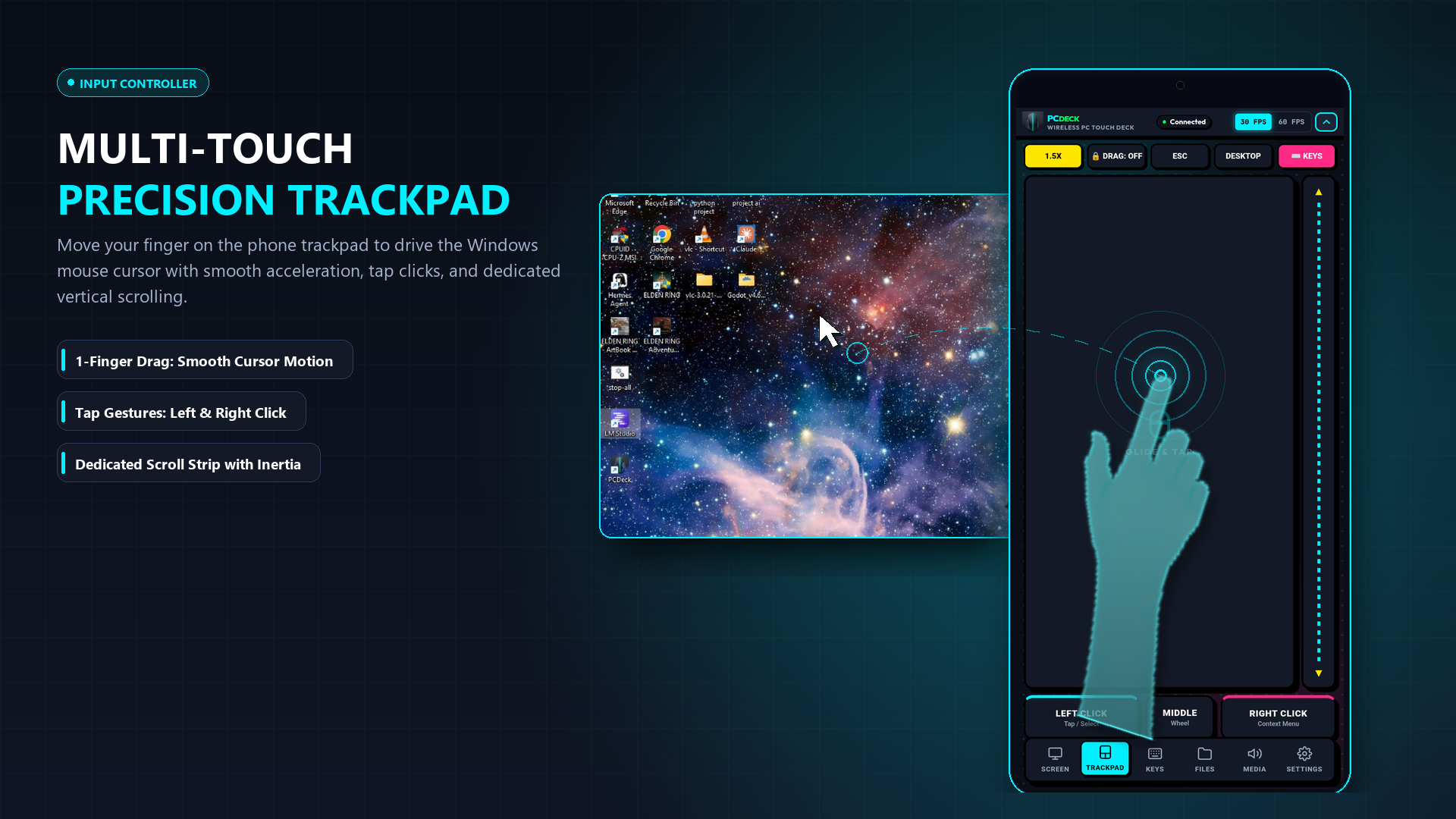
Yes, and you don't even need to download an app on your phone. PCDeck runs a lightweight local server on your Windows PC. When you open it, a QR code appears on your monitor. Simply point your iPhone or Android camera at the screen, tap the link, and your mobile web browser instantly becomes a responsive multi-touch trackpad with left-click, two-finger right-click, and smooth scrolling over your local Wi-Fi.
The 3-Step Instant Setup (Ready in 20 Seconds)
No App Store searches, no sign-ups, and no Bluetooth pairing headaches:
How it works (In Simple Terms)
You don't need any special hardware, cables, or Bluetooth adapters. PCDeck connects your computer and phone over your home Wi-Fi or mobile phone hotspot.
When you glide your finger across your phone screen, it sends high-speed touch commands directly across your local network. Your Windows cursor moves instantly with zero perceptible delay — exactly like a built-in laptop trackpad.
Multi-touch gestures: How to click & scroll
You can perform all standard mouse actions using simple touch gestures on your phone screen:
| Touch Gesture | Windows Action |
|---|---|
| One-finger glide | Moves the mouse pointer across the screen with natural inertia and acceleration. |
| One-finger tap | Left click on the element under the pointer. |
| Two-finger tap | Right click (opens context menus, file options, properties). |
| Two-finger slide up / down | Vertical smooth scrolling through web pages, documents, and code editors. |
| Double-tap and drag | Click and hold to drag files, select blocks of text, or move application windows. |
| Three-finger tap | Middle mouse button click (opens links in new browser tabs or closes tabs). |
Two Ways to Connect: Browser vs. App
Instant Browser (Zero Phone Install)
Works on iPhone, iPad, Android & Mac. You don't have to download anything on your phone.
- Download and run PCDeck.exe on your PC (Free).
- Scan the on-screen QR code with your phone camera.
- Tap the link — your phone browser opens the trackpad immediately!
- Slide your finger to move the cursor, tap to click, and scroll with two fingers.
Dedicated Android App (APK)
For Android users who want a permanent app icon on their home screen for everyday use.
- Download the lightweight PCDeck.apk (739 KB).
- Tap your PC in the auto-discovery list.
- Enjoy haptic feedback and instant auto-reconnect.
Wi-Fi vs. Phone Mobile Hotspot
You do not need an active internet connection to use your phone as a mouse. PCDeck works across two network modes:
- Home or Office Wi-Fi: Both devices connect to your regular router. Packets stay strictly inside your local subnet (192.168.x.x or 10.x.x.x) and never touch the outside internet.
- Phone Mobile Hotspot (Completely Offline): Turn on your Android phone's Personal Hotspot and connect your Windows PC to the phone's Wi-Fi network. PCDeck works flawlessly even in a basement, on a plane, or during a complete home broadband outage.
Network Isolation Tip
If your router has AP Client Isolation enabled (common on public university or hotel Wi-Fi networks that prevent devices from talking to each other), simply switch your phone to Hotspot mode and connect your laptop directly to the phone.
Get PCDeck — Free Wireless Trackpad & Keyboard
PCDeck gives you a precision trackpad, full on-screen keyboard, live desktop screen viewer, PC audio streaming, and cable-free file transfers in one unified tool.
Windows 10 / 11 · Android 5.0+ · 100% Offline Local Wi-Fi